Key Takeaways
- Most ERP failures happen before you sign the contract.
- Manufacturers choose wrong type (job-shop vs process confusion), lack clear business objectives, underestimate cost/time, exclude shop floor workers, or pick by brand instead of fit.
- Cloud ERP costs ₹3-6L Year 1; 30-50% cheaper than on-premise over 5 years.
- 8-12 weeks realistic implementation; most underestimate by 2-3x due to hidden costs.
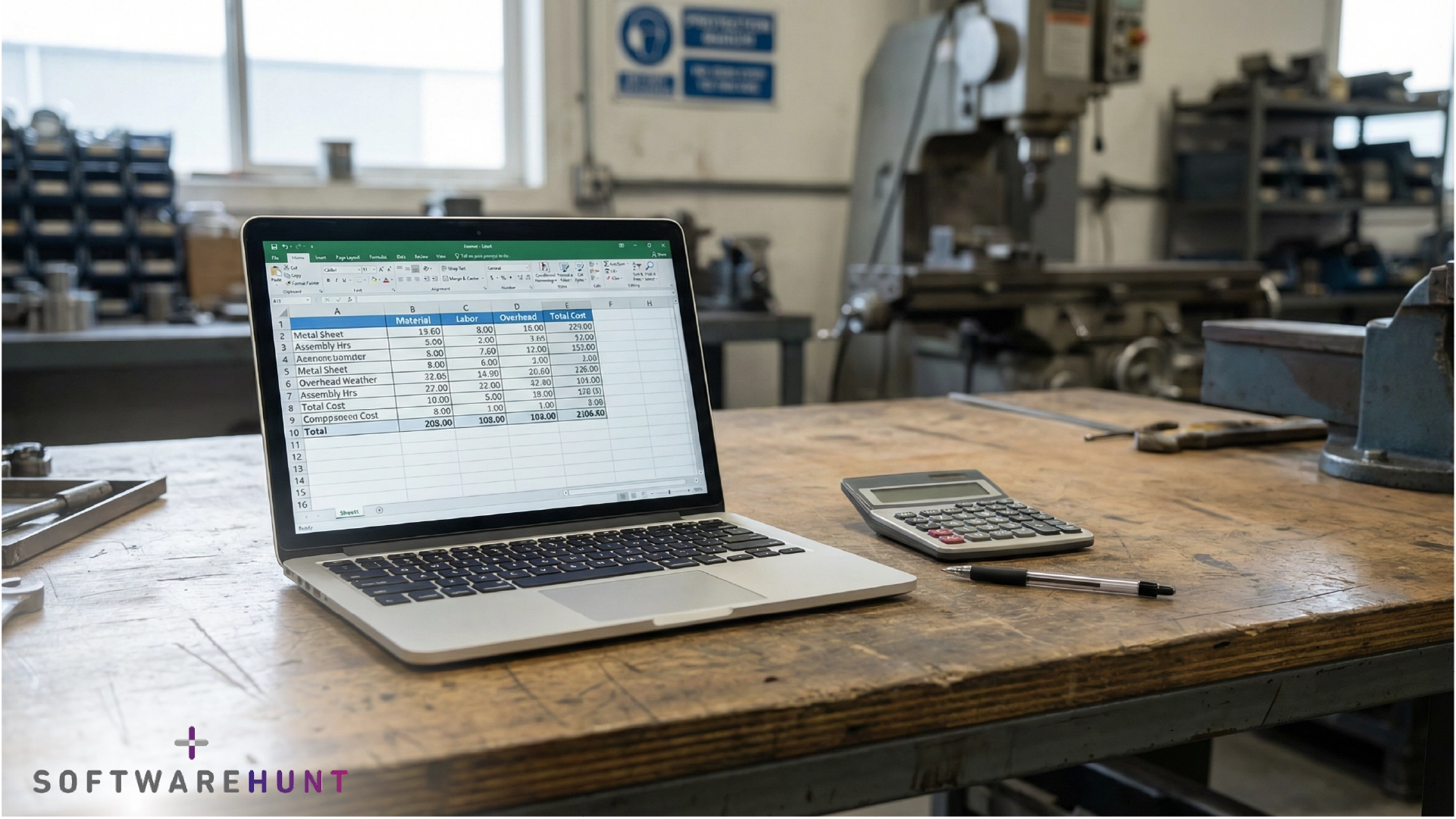
Amit Deshmukh stares at three Excel files open on his laptop. It’s 7:30 PM at his sheet metal shop in Pune.
One file shows inventory (last updated Tuesday). Another has pending orders. The third tracks production schedules. His production manager just called: We’re out of MS-08 sheets, but the inventory sheet says we have 340 units.
This is the third stockout this month despite showing stock in Excel. Last week, it cost him an ₹8.2 lakh order. The client went to a competitor who could confirm stock instantly.
Amit knows the answer: ERP. But he also knows the horror stories – ₹15 lakh investments that take 18 months and still don’t work right.
He calls Kavita. She runs a CNC shop in Nashik. Implemented a cloud ERP 10 months ago.
The Spreadsheet Breaking Point
Amit: I think I need to move away from Excel. But I’m terrified. ₹1.5-2 lakh is a lot to spend on something that might fail.
Kavita: I was exactly where you are. Lost a ₹6.5 lakh order because I couldn’t confirm stock in real-time. That order paid for my entire year of ERP costs. So I pulled the trigger.
Amit: How bad was it? The implementation?
Kavita: First month was chaos. We went live on a Friday. By Monday, my team was frustrated. They didn’t understand the interface. I almost shut it down.
Amit: You’re not helping my anxiety.
Kavita: Wait. Month 2, something shifted. My team stopped asking why is this better? and started asking when can we go back to Excel? That’s when I knew it was working.
Amit: What changed?
Kavita: They stopped losing data. Orders that used to take 2 hours to enter now take 15 minutes. Real inventory numbers. No more surprise stockouts. By Month 3, they wouldn’t go back.
Amit: How much did it actually cost you?
Kavita: ₹1.65 lakhs setup. ₹14,500 monthly. So roughly ₹3.5 lakhs Year 1 if you count training and integrations. People quote ₹50 lakhs before implementation starts. But that’s if you hire expensive consultants and customize everything.
Amit: But ₹3.5 lakhs is still a lot for a ₹14-crore business like mine.
Kavita: It was for me too. But think about what you just told me, you lost an ₹8.2 lakh order because of Excel. How many times a year does that happen?
Amit: Honestly? Two, maybe three times a year.
Kavita: There’s your ROI. One prevented order covers the whole first year. And I’m not even talking about the time my team saves, or the fact that I can finally close my books in 3 days instead of 15.
Amit: So you’d do it again?
Kavita: Without hesitation. But I’d tell you, don’t go with the enterprise systems. Cloud platforms built for manufacturing like us. That’s where the real money is saved.
Amit: How long until I break even?
Kavita: For me? 4 months. But that’s only because we were bleeding money on lost orders. Your timeline depends on how many orders you’re currently losing to Excel chaos.
Amit: And the implementation? Really how long?
Kavita: Honestly, 8-12 weeks if you do it right. Don’t rush. I see shops trying to compress it into 4 weeks and it’s a disaster. But 12 weeks of discipline and you’re live without nightmares.
Amit: You’ve convinced me. I’m going to look at this seriously.
Kavita: Good. But before you spend a rupee, make sure you actually need it. Ask yourself 6 questions first.
Why Most of ERP Implementations Fail
Five preventable mistakes:
1. Skip defining what problem you’re solving. You buy ERP because everyone’s digital now, not because you have a specific objective like reduce order cycle from 48 hours to 8 hours or eliminate inventory disputes.
2. Choose by brand instead of fit. You pick a big name without understanding if it matches your manufacturing model.
3. Don’t know your manufacturing type. Job-shop and process manufacturing need different systems.
4. Exclude shop floor workers from selection. Management chooses. Workers have to use it. Result: resistance, low adoption, expensive paperweight.
5. Underestimate everything. Cost, timeline, data cleanup, integration, training, post-go-live support. Budget 30% contingency.
The good news? All of these are preventable. They require thinking, not spending.
The 6 Signs That You Need an ERP
Before you talk to vendors, answer this: Do you actually need an ERP?
Most small manufacturers assume the answer is yes. It’s not always.
You’re ready for ERP if three or more of these apply.
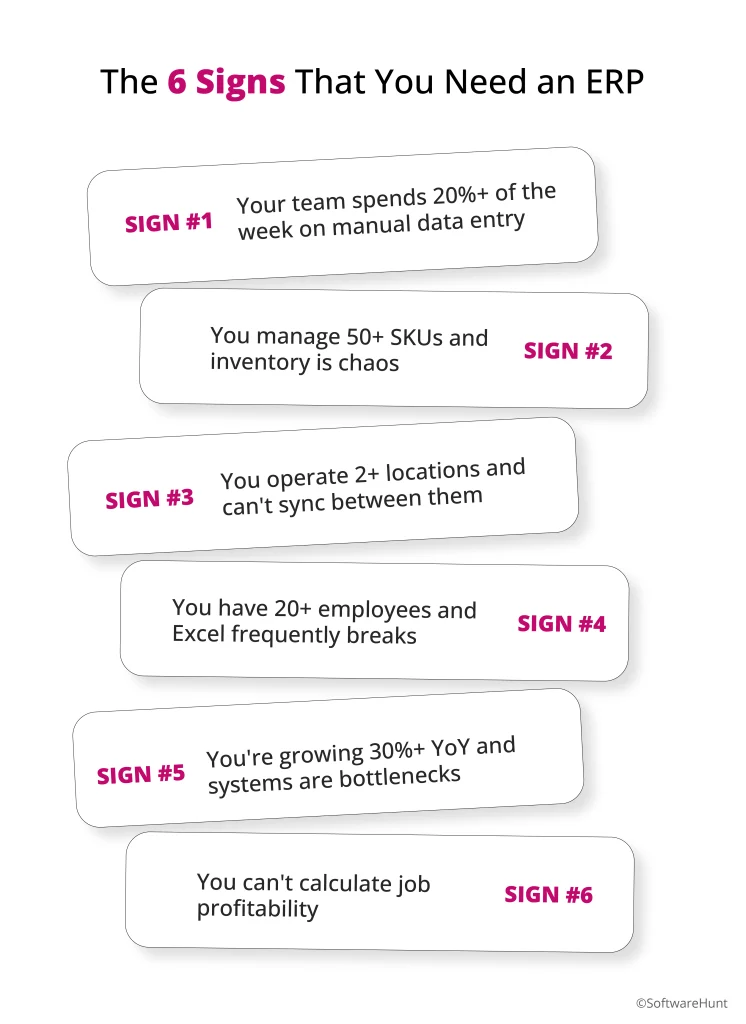
Sign #1: Your team spends 20%+ of the week on manual data entry
Your employees stay late updating QuickBooks, then updating shop floor sheets, then updating Excel inventory. The same customer order gets typed into three different systems. Simple questions like Do we have 500 units in stock? require checking multiple sources.
Sign #2: You manage 50+ SKUs and inventory is chaos
You can’t see real-time stock across locations. Customers order items you think you have, but your inventory spreadsheet is always 2-3 days behind. You’re losing 5-10% of potential orders to we’re out of stock, sorry.
Sign #3: You operate 2+ locations and can’t sync between them
Material stored in Location A, but you’re billing from Location B. Each location maintains its own spreadsheet. You frequently discover you’ve double-ordered the same material because locations don’t talk to each other.
Sign #4: You have 20+ employees and Excel frequently breaks
Multiple people editing the same spreadsheet creates corruption. Version control becomes a nightmare. File access is limited to whoever’s in the office. One corrupted file and you’ve lost critical business data.
Sign #5: You’re growing 30%+ YoY and systems are bottlenecks
Your process can’t scale. Forecasting becomes unreliable as data volume explodes. Manual processes can’t handle transaction volume. Growth itself becomes a problem.
Sign #6: You can’t calculate job profitability
You discover actual production costs only after the job is complete. Sales team quotes blind without knowing real costs. You’re eroding 15-20% margin from uninformed pricing.
The threshold: If three or more apply, you’re ready. If fewer than three, wait. Implementing ERP when you’re not ready wastes money. It’s like buying a truck when you need a bicycle.
Who Should Skip ERP (For Now)
Don’t implement if:
Fewer than 3 of the 6 signs apply above. Your Excel process needs optimization, not replacement. Hire a process consultant for ₹80K to improve templates, discipline, and access control. Reassess in 6 months.
Under ₹2 crore revenue with stable growth. ROI payback takes 18-24 months. Your cash is better spent on sales, product development, or hiring. Come back to ERP when you hit ₹3-5 crore.
Your manual processes are already excellent. Error rate under 1%, financial close under 5 days, inventory accurate. Don’t fix what works. Optimize it further, but don’t replace it.
Major business change coming in 12 months. Planning a sale, merger, product line shift, or location change? Wait until you’re stable. Implementing ERP during uncertainty is guaranteed to fail.
You can’t dedicate an internal champion. One person needs to own this 50% of their time for 3 months. No exceptions. If your only champion is too busy, you’ll fail. Wait until you can spare someone.
Borderline case? (3-4 signs apply?)
Try this BEFORE spending ₹5 lakhs on ERP:
- Week 1: Standardize Excel templates (eliminate version chaos). Cost: ₹15K consultant or do it yourself.
- Week 2-4: Data discipline. Update inventory once daily at 5 PM. All orders entered by 6 PM same day. No exceptions.
- Week 5-8: Access control. Only 2 people can edit the master inventory file. Everyone else has read-only access.
- Week 9-12: Weekly reconciliation. Every Friday, check Excel against reality. Catch errors same week, not 30 days later.
Cost: ₹30-50K total (one consultant + internal time)
Result after 12 weeks: If errors drop below 1% and your team sustains this discipline, Excel is sufficient. You just saved ₹5 lakhs.
If discipline fails or errors stay 2%+, then ERP is worth the investment.
Not sure whether to optimize Excel or buy ERP? Email connect@softwarehunt.com we’ll help you diagnose which fix to try first.
The Mistake That Kills 50% of Implementations: Choosing the Wrong Manufacturing Type
Here’s where most manufacturers mess up and don’t even know it until they’re nine months into implementation.
Job-shop ERP and process manufacturing ERP are fundamentally different systems. Choosing the wrong one is the #1 reason implementations fail.
If you make custom products in small batches, you’re job-shop.
Metal fabrication. Aerospace components. Custom machinery. Job printing. Tool & die shops. Contract manufacturing. Each order is unique. Different specifications. Different routing. Different materials.
Your pain is this: You need to track individual jobs from start to finish. Calculate profit on each job. Handle rush orders. Manage flexible schedules. Adjust routing on the fly.
A job-shop ERP has these critical features: Job tracking (where is this job in production?), flexible scheduling (we need to move this job up because the customer called), job costing (was this job profitable?), and custom BOM management (every job has a different bill of materials).
If you use a generic ERP or a process manufacturing ERP, you lose this visibility. You can’t answer how profitable was that last job? Your scheduling becomes rigid. You can’t handle customization.
If you make identical products in high volume using standard recipes, you’re process manufacturing.
Pharma. Food & beverage. Chemicals. Cosmetics. You produce the same product the same way, batch after batch. Consistency is everything. Regulatory compliance is non-negotiable.
Your pain is this: You need to track batches from raw materials to finished goods. Enforce recipe consistency. Maintain regulatory compliance (FDA, GMP). Track quality at each stage.
A process manufacturing ERP has these critical features: Formula/recipe management (enforce the same recipe every time), batch tracking (know exactly which batch failed and why), regulatory compliance workflows (audit trails built-in), and automated quality checks.[brillianttechnologies]
If you use a job-shop ERP, you lose consistency controls. You can’t enforce that every batch follows the exact same recipe. You can’t provide the audit trails regulators demand.
The reality: Choose wrong and your implementation will fight you for months. The system will force you to either change your actual manufacturing process (which disrupts operations) or customize the hell out of the ERP (which explodes costs).
You need to know your type before you start.
The 5 Costliest Mistakes You’ll Make (And How to Avoid Them)
Mistake #1: Choosing by Brand, Not Fit
Enterprise-grade platforms are powerful but often designed for ₹500cr+ companies.
So you pick by name recognition.
Reality: Wrong fit kills implementations faster than bad software.A manufacturer with ₹5 crore revenue implementing enterprise-grade systems designed for ₹500cr companies.
Evaluate based on your business model and size, not brand reputation.
Mistake #2: Selecting on Features Instead of Business Needs
The ERP has advanced analytics, AI forecasting, IoT integration, CRM, supply chain optimization.
You pick it because it has everything.
Reality: 60% of ERP features go unused in typical implementations. You pay for capabilities you’ll need in Year 3 when you need them today.
Define three measurable business objectives first. Reduce order cycle from 48 hours to 8 hours. Eliminate inventory disputes. Calculate job profitability within one week of job completion. Then find an ERP that solves those, not the one with the most features.
Mistake #3: Skipping the Define Business Objectives Step
Management buys ERP without clarity on what problem they’re solving.
Implementation becomes open-ended. Is this configured right? becomes a guessing game. Budget explodes. Timeline extends.
Spend Week 1 defining three measurable business objectives. Everything else follows.
Mistake #4: Excluding Shop Floor Workers from Selection
Management chooses. Workers have to use it.
Reality: High resistance. This slows us down. Low adoption. Workers revert to workarounds (manual processes, WhatsApp, Excel). ERP becomes expensive software that nobody uses.
Bring 2-3 shop floor workers to vendor demos. Let them try the interface with your actual data. Will this work for us? matters more than management opinions.
Mistake #5: Underestimating Total Cost and Implementation Time
You budget ₹10 lakh for software + implementation. Actual cost: ₹30-40 lakh.
Hidden costs include: Data migration (₹50-200K), customization (₹100-500K), integration (₹50-200K), training (₹75-150K), post-go-live support (₹50-100K), staff opportunity cost (₹150-300K).
Budget for software + implementation + integration + training + 3 months post-go-live support. Add 30% contingency.
Cloud vs On-Premise: The Real Decision Framework
This is simpler than vendors make it sound.
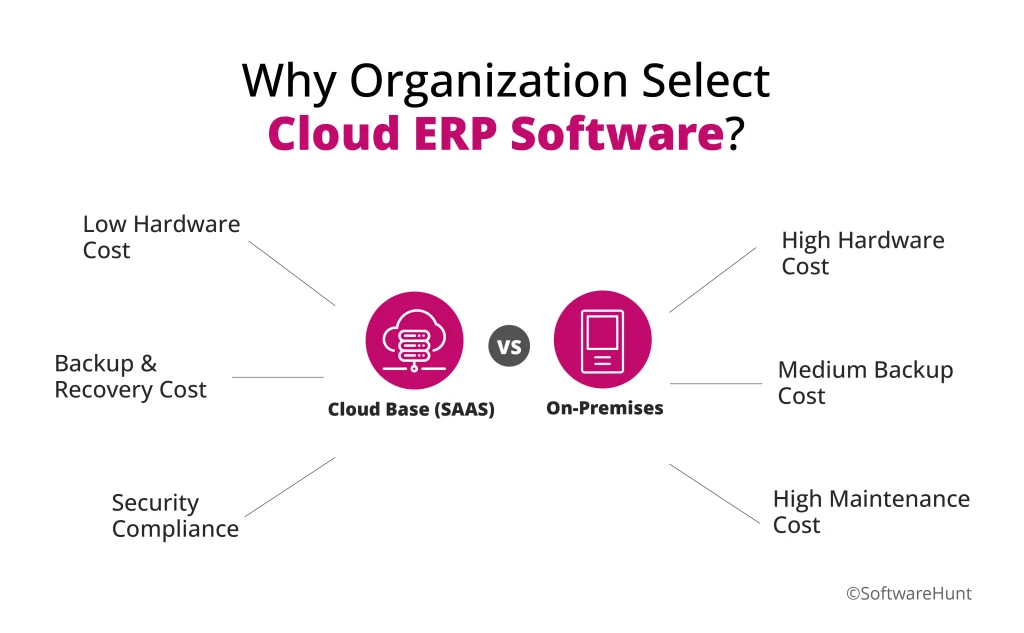
For 95% of SME manufacturers: Choose cloud.
Cloud costs ₹3-6L Year 1, deploys in 2-4 weeks, scales easily, you don’t manage servers.
On-premise costs ₹15L+ Year 1, takes 3-6 months to deploy, requires IT staff, you own everything.
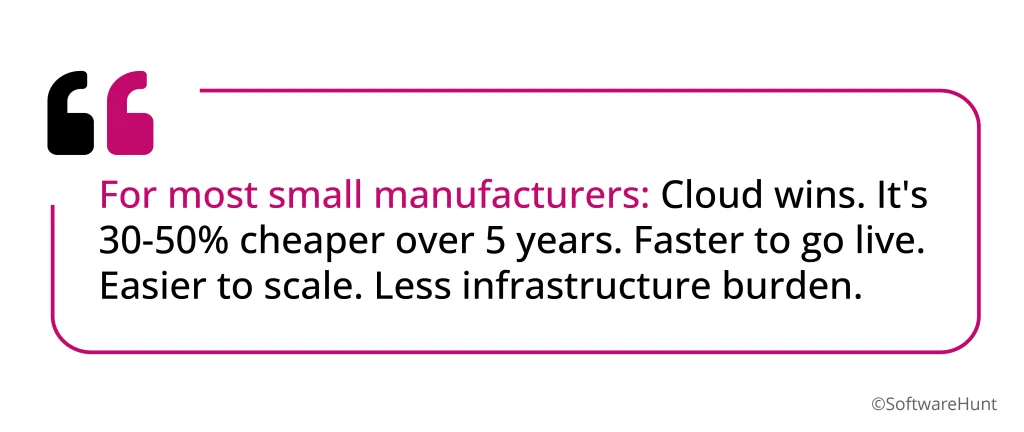
For manufacturers under ₹50cr revenue: Cloud wins. It’s 30-50% cheaper over 5 years. Faster to go live. No IT headaches.
Only choose on-premise if you’re ₹50cr+ with a mature IT team, heavily regulated (pharma, defense), or planning to run the system for 20+ years unchanged.
What ERP Actually Costs (The Budget Reality Check)
Vendors quote ₹5 lakh software + ₹2 lakh implementation.
That’s fantasy.
Here’s what small manufacturers actually spend:
Software subscription: ₹2-5L (₹5-15K per user per month for cloud)
Implementation services: ₹1-2L
Data migration and cleanup: ₹50-100K (your data is messier than expected)
Integration with accounting software: ₹50-100K
Training (office + shop floor): ₹75-150K
Customization beyond standard configuration: ₹100-200K
Post-go-live support (Month 2-6): ₹50-100K
Staff time during implementation (opportunity cost): ₹150-300K
Total Year 1: ₹3.5-6.5L
Everyone underestimates by 2-3x.
Ongoing costs (Year 2+): ₹2-5L annual subscription. ₹20-50K support and updates. ₹10-20K maintenance.
Why does this matter? Because when your budget runs out mid-implementation, you stop training. You cut testing. You go live unprepared. Then you become the next Hershey’s, Mission Produce, or Haribo.
Budget realistically or don’t start.
Your Vendor Evaluation Scorecard (The Questions That Matter)
The 3 Non-Negotiable Questions (Ask First)
- Do they understand job-shop vs. process manufacturing? If they can’t explain the difference, walk away.
- Can you show 3+ customers our size (₹5-15cr), in our industry, who went live successfully?
- What’s your on-time, on-budget implementation rate for manufacturers our size? (Anything under 70% = high failure risk.)
The 5 Important Questions (During Demo)
- Can this handle our actual BOMs? (Bring 3-5 of your most complex ones, test them.)
- Will your team train our shop floor workers, or just managers?
- How does it sync with Tally? (This is critical for India compliance.)
- What happens to our data if we want to leave? (Portability clause matters.)
- What’s included in your monthly fee vs. what costs extra? (Clarify hidden costs immediately.)
The 4 Good-to-Know Questions (Before Signing)
- Lock-in period and exit clauses?
- Price escalation after Year 1?
- India data residency and GST compliance?
- Post-go-live support included (Month 2-6)? What does it cost beyond Month 6?
The Realistic Implementation Timeline (What Actually Happens)
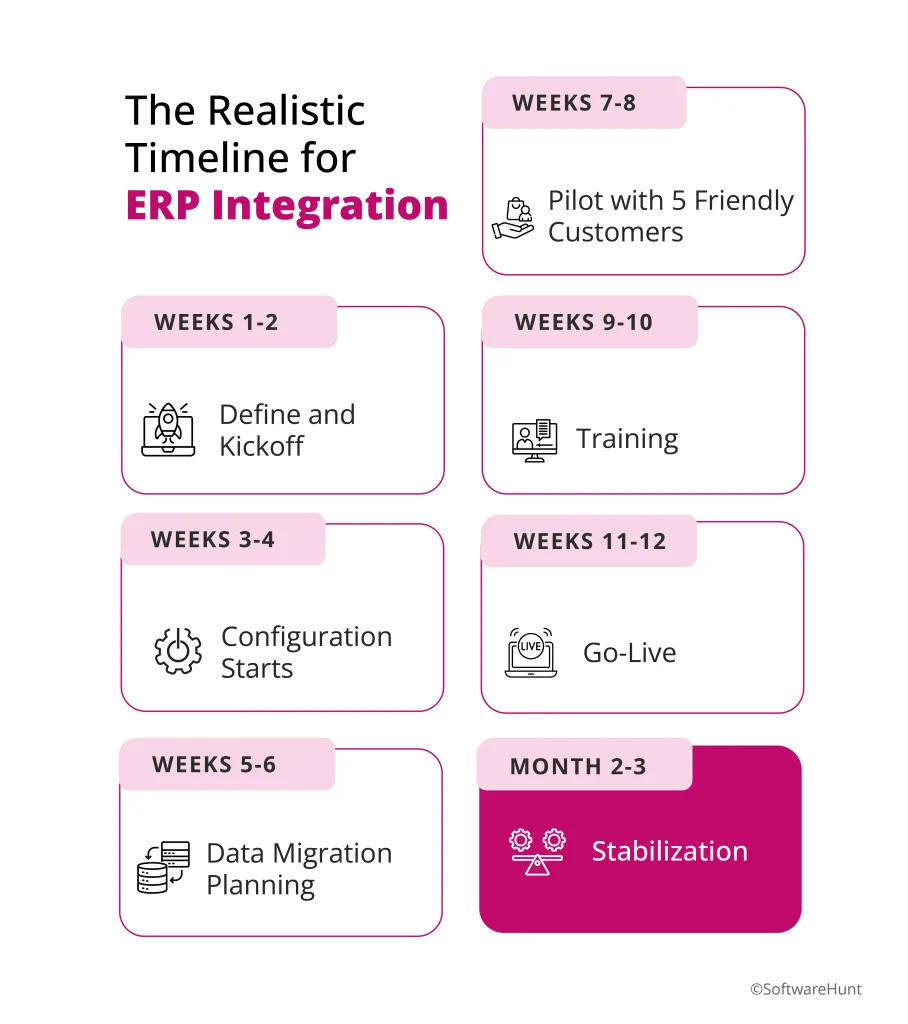
Weeks 1-2: Define and Kickoff
You define your 3 key business objectives. You assemble the project team (include shop floor representation). You audit your existing data (how messy is it?). You sign the contract.
Reality check: This takes longer than expected.
Weeks 3-4: Configuration Starts
You map current processes. Set up BOMs, routings, pricing rules. Configure user roles. Create test transactions.
Reality check: This is where surprises emerge. Wait, we don’t have BOMs documented anywhere. Everyone knows them in their head.
Weeks 5-6: Data Migration Planning
You clean and validate data. Create data mapping. Test data import in sandbox.
Reality check: Data cleanup takes 3x longer than estimated.
Weeks 7-8: Pilot with 5 Friendly Customers
You go live with 5 customers. Run real orders through the system. Fix bugs and misconfigurations.
Reality check: The pricing rule you set up doesn’t work for volume discounts. Back to configuration.
Weeks 9-10: Training
Train office staff (order entry, invoicing, reporting). Train shop floor workers (work orders, material tracking). Run in parallel with old system.
Reality check: Staff resists change. Training has to address why is this better?
Weeks 11-12: Go-Live
Cutover to new system. Usually Friday evening, team on standby all weekend. Monitor closely for issues.
Reality check: Issues found at go-live should have been caught in pilot. But they weren’t.
Months 2-3: Stabilization
Fix post-go-live issues. Optimize workflows. Run reports. Verify data integrity.
Reality check: This phase is usually forgotten. Support becomes reactive fire-fighting.
The rule: Don’t rush. Compressed schedules create unnecessary risk. Test deeply and methodically. Choose your cutover window wisely (not your busiest season).
Your Next Steps: Stop Researching, Start Deciding
This week: Run the 6-point readiness test above. Do three or more apply? If yes, proceed. If no, come back in 6 months.
Next week: Identify your manufacturing type (job-shop or process). This determines which ERP features matter.
Week 3: Build your vendor shortlist (3-5 options) based on type + budget + success rate.
Week 4: Request demos. Bring your data. Bring shop floor people. Evaluate using the scorecard above.
The reality: This decision will shape your operations for 5-7 years. Take four weeks to get it right. The cost of choosing wrong (₹15-30L wasted) is higher than the cost of taking extra time to decide well.
You’ve got this.
We’re SoftwareHunt. We work with manufacturing owners running on Excel, Tally, and tight cash flows. Our advisors help you identify operational leaks like hidden setup costs and overhead allocation errors and translate symptoms into clear financial decisions. We show you where to focus first, at no cost to you.
Email us: connect@softwarehunt.com